Live-Ausgabe der echten Render-Engine — ändere die Einstellungen und sie aktualisiert sich sofort.
Vom Prompt zum Ergebnis
Ein Prompt tippt sich in eine generative KI-App, Generieren wird gedrückt, ein schimmernder Platzhalter denkt nach, und das Ergebnis erscheint: dein Bild, das aus dem Rauschen auftaucht, ein wachsendes Balkendiagramm oder eine Antwort, die sich selbst schreibt.
Einstellungen
Formate, die die Bildprüfung bestanden haben
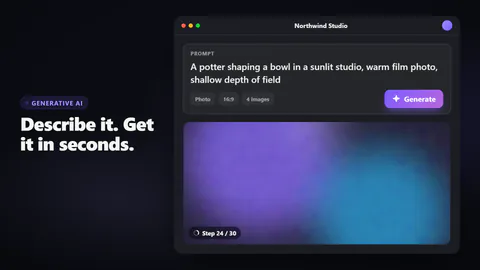
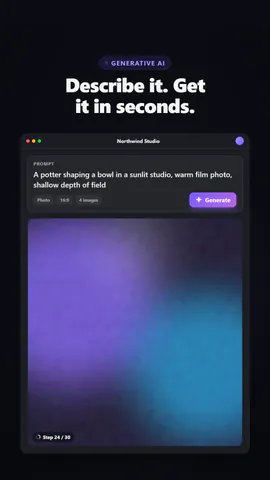
Was du schreibst
headlineHeadline beside or above the app (≤48)· PflichtappNameName in the app window's title bar (≤24)· PflichtpromptThe prompt that gets typed (≤110)· PflichtbuttonLabel on the generate button (≤14)· PflichtbarsBars of the generated chart (chart output)· PflichtanswerThe written answer (text output) (≤240)· PflichtkickerSmall line above the headline, or empty to hide (≤28)outputWhat the prompt produces: your picture, a bar chart or a written answerchartTitleTitle over the chart (chart output) (≤40)layoutA full app window beside the headline, or a floating prompt bar with the result blooming beneaththemeThe app's surfaces
Bilder (image) kommen aus dem Bild der Szene, sonst aus einem Verlauf in deinen Farben.
Eine Code-Vorlage: in jedem Tarif kostenlos, ohne KI-Credits.
In einem Film verwenden
rushie.props.headlinerushie.props.appNamerushie.props.promptrushie.props.buttonrushie.props.barsrushie.props.answerrushie.props (others)Für Entwickler (MCP und JSON)
Das ist genau die Szene für create_animation (MCP): Struktur behalten, Worte ändern und den Sprechertext schreiben — die Stimme bestimmt, wie lange die Szene dauert. Mit set_data in update_storyboard einfügen, um einen fertigen Film zu ändern.
{
  "visual": "rushie",
  "heading": "Prompt to result",
  "narration": "Write the sentence the voice says over this scene; its length is the scene's.",
  "data": {
    "rushie": {
      "template": "prompt-to-result",
      "props": {
        "kicker": "Generative AI",
        "headline": "Describe it. Get it in seconds.",
        "appName": "Northwind Studio",
        "prompt": "A potter shaping a bowl in a sunlit studio, warm film photo, shallow depth of field",
        "button": "Generate",
        "output": "image",
        "image": "https://storage.googleapis.com/pagetovid-media/demo/pagetovid-demo-en-v2.jpg",
        "chartTitle": "Signups by channel, last 30 days",
        "bars": [
          {
            "label": "Search",
            "value": 4200
          },
          {
            "label": "Social",
            "value": 3100
          },
          {
            "label": "Referral",
            "value": 2450
          },
          {
            "label": "Email",
            "value": 1800
          },
          {
            "label": "Ads",
            "value": 1350
          }
        ],
        "answer": "Here's a three-step plan: shorten signup to a single screen, add a guided first project, and send a friendly nudge on day two. Teams that try this usually see activation rise within a month.",
        "layout": "app",
        "theme": "dark"
      }
    }
  }
}