So funktioniert's
Live-Ausgabe der echten Render-Engine — ändere die Einstellungen und sie aktualisiert sich sofort.
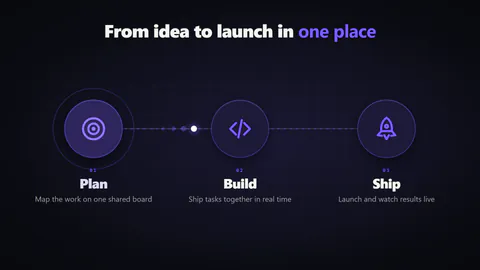
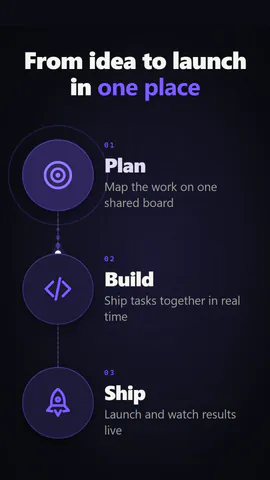
Verbundenes Icon-Trio
gestaltete motion-karten
Drei Icons mit Beschriftung erscheinen und eine Linie verbindet sie.
Ideal für: Drei Schritte oder Säulen.
Einstellungen
Schrift
Theme
Größe
Stimmung
Formate, die die Bildprüfung bestanden haben
1:1
Was du schreibst
titleHeading above the icons; wrap words in *stars* to colour them, or empty to hide (≤50)· PflichtitemsThe steps, joined by a line in order (2 to 4)· PflichtshapeIcons in circles, in rounded squares, or on their ownpathA straight line joins the icons, or curved arcs hop between them
Eine Code-Vorlage: in jedem Tarif kostenlos, ohne KI-Credits.
In einem Film verwenden
Was du ändern kannst:
rushie.props.titlerushie.props.itemsrushie.props (others)Für Entwickler (MCP und JSON)
Das ist genau die Szene für create_animation (MCP): Struktur behalten, Worte ändern und den Sprechertext schreiben — die Stimme bestimmt, wie lange die Szene dauert. Mit set_data in update_storyboard einfügen, um einen fertigen Film zu ändern.
{
  "visual": "rushie",
  "heading": "Icon trio",
  "narration": "Write the sentence the voice says over this scene; its length is the scene's.",
  "data": {
    "rushie": {
      "template": "icon-trio",
      "props": {
        "title": "From page to *film*",
        "items": [
          {
            "label": "Read",
            "caption": "We read the page",
            "icon": "search"
          },
          {
            "label": "Write",
            "caption": "A script timed to the voice",
            "icon": "pencil"
          },
          {
            "label": "Film",
            "caption": "Your site, really filmed",
            "icon": "laptop"
          }
        ],
        "shape": "circle",
        "path": "straight"
      }
    }
  }
}