So funktioniert's
Live-Ausgabe der echten Render-Engine — ändere die Einstellungen und sie aktualisiert sich sofort.
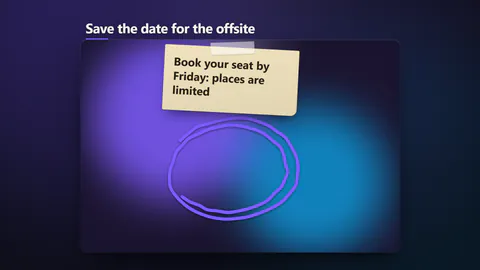
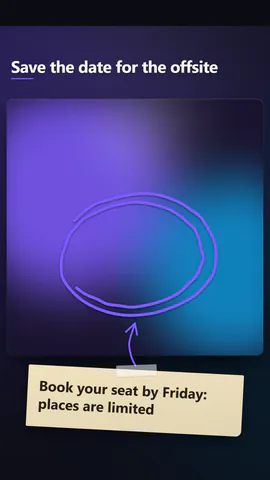
Marker-Kreis
gestaltete motion-karten
Ein Marker umkreist einen Bereich Ihres Screenshots, während die Notiz erscheint.
Ideal für: Das Wichtige auf einer Seite einkreisen.
Einstellungen
Schrift
Theme
Größe
Stimmung
Formate, die die Bildprüfung bestanden haben
1:1
Was du schreibst
titleHeadline over the shot, or empty to hide (≤56)· PflichtnoteThe short note stuck beside the mark (≤64)xCentre of the marked area. Across the picture: 0 is the left edge, 1 the right (≤1)yCentre of the marked area. Down the picture: 0 is the top, 1 the bottom (≤1)sizeHalf the marked area's width, as a share of the picture's width (≤0.4)markA scribbled loop, a rough box or a double underlinepenA bold marker, a wide see-through highlighter or a thin sketchy pencillayoutA framed card over its own blurred backdrop, or the picture filling the whole frame
Bilder (image) kommen aus dem Bild der Szene, sonst aus einem Verlauf in deinen Farben.
Eine Code-Vorlage: in jedem Tarif kostenlos, ohne KI-Credits.
In einem Film verwenden
Was du ändern kannst:
rushie.props.titlerushie.props (others)Für Entwickler (MCP und JSON)
Das ist genau die Szene für create_animation (MCP): Struktur behalten, Worte ändern und den Sprechertext schreiben — die Stimme bestimmt, wie lange die Szene dauert. Mit set_data in update_storyboard einfügen, um einen fertigen Film zu ändern.
{
  "visual": "rushie",
  "heading": "Scribble circle",
  "narration": "Write the sentence the voice says over this scene; its length is the scene's.",
  "data": {
    "rushie": {
      "template": "scribble-circle",
      "props": {
        "image": "https://storage.googleapis.com/pagetovid-media/demo/pagetovid-demo-en-v2.jpg",
        "title": "This button starts your film",
        "note": "Paste your page, press it, and the film renders",
        "x": 0.5,
        "y": 0.45,
        "size": 0.19,
        "mark": "circle",
        "pen": "marker",
        "layout": "framed"
      }
    }
  }
}