Datos y ROI
Salida en vivo del motor de render real — edita los ajustes y se actualiza al instante.
Del prompt al resultado
tarjetas animadas de diseño
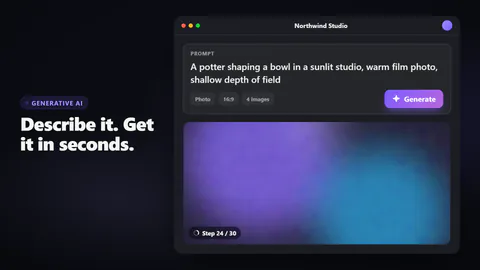
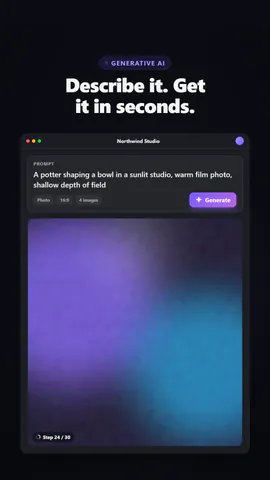
Un prompt se escribe en una app de IA generativa, se pulsa Generar, un marcador brillante piensa y aparece el resultado: tu imagen saliendo del ruido, un gráfico de barras creciendo o una respuesta que se escribe sola.
Ideal para: texto a imagen, funciones generativas y demos de productos de IA.
Ajustes
Fuente
Tema
Tamaño
Ánimo
Formatos que pasaron el control de imagen
1:1
Lo que escribes
headlineHeadline beside or above the app (≤48)· obligatorioappNameName in the app window's title bar (≤24)· obligatoriopromptThe prompt that gets typed (≤110)· obligatoriobuttonLabel on the generate button (≤14)· obligatoriobarsBars of the generated chart (chart output)· obligatorioanswerThe written answer (text output) (≤240)· obligatoriokickerSmall line above the headline, or empty to hide (≤28)outputWhat the prompt produces: your picture, a bar chart or a written answerchartTitleTitle over the chart (chart output) (≤40)layoutA full app window beside the headline, or a floating prompt bar with the result blooming beneaththemeThe app's surfaces
Las imágenes (image) salen de la imagen de la escena o, si no hay, de un degradado con tus colores.
Una plantilla en código: gratis en todos los planes, sin créditos de IA.
Úsala en un vídeo
Ideal paraCifras y resultados
Lo que puedes cambiar:
rushie.props.headlinerushie.props.appNamerushie.props.promptrushie.props.buttonrushie.props.barsrushie.props.answerrushie.props (others)Para desarrolladores (MCP y JSON)
Esta es la escena exacta para enviar a create_animation (MCP): mantén la estructura, cambia las palabras y escribe la narración — la voz fija cuánto dura la escena. Pégala en update_storyboard con set_data para cambiar un vídeo que ya hiciste.
{
  "visual": "rushie",
  "heading": "Prompt to result",
  "narration": "Write the sentence the voice says over this scene; its length is the scene's.",
  "data": {
    "rushie": {
      "template": "prompt-to-result",
      "props": {
        "kicker": "Generative AI",
        "headline": "Describe it. Get it in seconds.",
        "appName": "Northwind Studio",
        "prompt": "A potter shaping a bowl in a sunlit studio, warm film photo, shallow depth of field",
        "button": "Generate",
        "output": "image",
        "image": "https://storage.googleapis.com/pagetovid-media/demo/pagetovid-demo-en-v2.jpg",
        "chartTitle": "Signups by channel, last 30 days",
        "bars": [
          {
            "label": "Search",
            "value": 4200
          },
          {
            "label": "Social",
            "value": 3100
          },
          {
            "label": "Referral",
            "value": 2450
          },
          {
            "label": "Email",
            "value": 1800
          },
          {
            "label": "Ads",
            "value": 1350
          }
        ],
        "answer": "Here's a three-step plan: shorten signup to a single screen, add a guided first project, and send a friendly nudge on day two. Teams that try this usually see activation rise within a month.",
        "layout": "app",
        "theme": "dark"
      }
    }
  }
}