Cómo funciona
Salida en vivo del motor de render real — edita los ajustes y se actualiza al instante.
Círculo con rotulador
tarjetas animadas de diseño
Un rotulador rodea una zona de tu captura mientras aparece la nota.
Ideal para: Rodear lo importante de una página.
Ajustes
Fuente
Tema
Tamaño
Ánimo
Formatos que pasaron el control de imagen
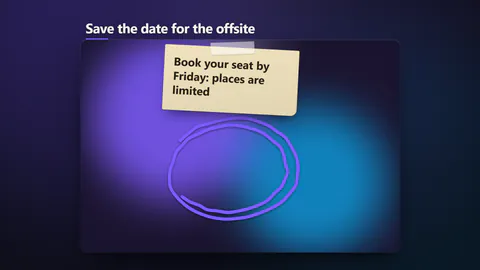
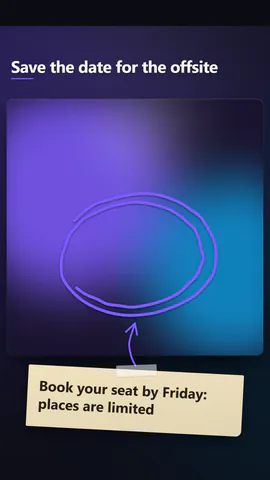
1:1
Lo que escribes
titleHeadline over the shot, or empty to hide (≤56)· obligatorionoteThe short note stuck beside the mark (≤64)xCentre of the marked area. Across the picture: 0 is the left edge, 1 the right (≤1)yCentre of the marked area. Down the picture: 0 is the top, 1 the bottom (≤1)sizeHalf the marked area's width, as a share of the picture's width (≤0.4)markA scribbled loop, a rough box or a double underlinepenA bold marker, a wide see-through highlighter or a thin sketchy pencillayoutA framed card over its own blurred backdrop, or the picture filling the whole frame
Las imágenes (image) salen de la imagen de la escena o, si no hay, de un degradado con tus colores.
Una plantilla en código: gratis en todos los planes, sin créditos de IA.
Úsala en un vídeo
Lo que puedes cambiar:
rushie.props.titlerushie.props (others)Para desarrolladores (MCP y JSON)
Esta es la escena exacta para enviar a create_animation (MCP): mantén la estructura, cambia las palabras y escribe la narración — la voz fija cuánto dura la escena. Pégala en update_storyboard con set_data para cambiar un vídeo que ya hiciste.
{
  "visual": "rushie",
  "heading": "Scribble circle",
  "narration": "Write the sentence the voice says over this scene; its length is the scene's.",
  "data": {
    "rushie": {
      "template": "scribble-circle",
      "props": {
        "image": "https://storage.googleapis.com/pagetovid-media/demo/pagetovid-demo-en-v2.jpg",
        "title": "This button starts your film",
        "note": "Paste your page, press it, and the film renders",
        "x": 0.5,
        "y": 0.45,
        "size": 0.19,
        "mark": "circle",
        "pen": "marker",
        "layout": "framed"
      }
    }
  }
}