Features
Live output of the real render engine — edit the settings and it updates instantly.
Token stream
designed motion cards
A model's answer streams out token by token as tinted chips, while a panel shows the candidate next tokens with their probabilities flickering and a dial or bar reads the tokens per second.
Best for: How LLMs generate, model speed and developer explainers.
Settings
Font
Theme
Size
Mood
Shapes it passed the frame check in
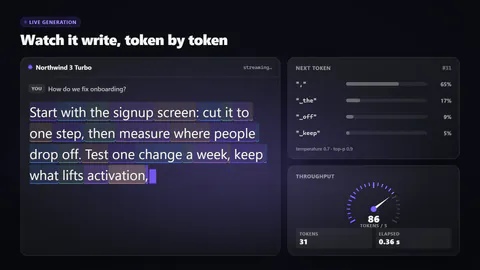
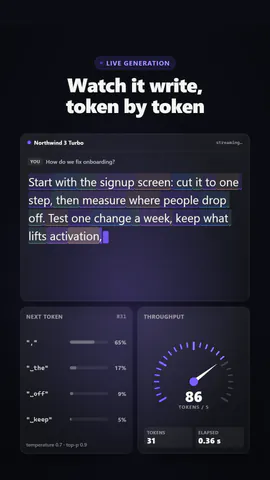
1:1
What you write
headlineHeadline above the stream (≤48)· requiredmodelModel name on the output panel (≤24)· requiredpromptThe question the stream answers (≤60)· requiredtextThe text that streams out (≤220)· requiredtokensPerSecondSpeed shown on the meter, tokens per second (≤500)· requiredkickerSmall line above the headline, or empty to hide (≤28)viewEach token shown as a tinted chip, or plain text with the newest token glowingmeterSpeed as a dial with a needle, or a bar with a live throughput line
A code template: free on every plan, no AI credits.
Use it in a film
What you can change:
rushie.props.headlinerushie.props.modelrushie.props.promptrushie.props.textrushie.props.tokensPerSecondrushie.props (others)For developers (MCP and JSON)
This is the exact scene to send to create_animation (MCP): keep the shape, change the words, and write the narration — the voice sets how long the scene lasts. Paste it into update_storyboard with set_data to change a film you already made.
{
  "visual": "rushie",
  "heading": "Token stream",
  "narration": "Write the sentence the voice says over this scene; its length is the scene's.",
  "data": {
    "rushie": {
      "template": "token-stream",
      "props": {
        "kicker": "Live generation",
        "headline": "Watch it write, token by token",
        "model": "Northwind 3 Turbo",
        "prompt": "How do we fix onboarding?",
        "text": "Start with the signup screen: cut it to one step, then measure where people drop off. Test one change a week, keep what lifts activation, and retire the rest.",
        "tokensPerSecond": 86,
        "view": "chips",
        "meter": "gauge"
      }
    }
  }
}