AI clips & B-roll
AI video clips, cut into the film of your website
Your site is filmed for real. For the beats a screen cannot show — the problem before, the moment after, a person in the world using what you make — a scene can be a generated video clip instead, from Veo 3.1, Seedance 2.0, Wan or MiniMax.
Paid plans, from Starter

How it works
- 01Make the film
Paste a URL. The planner writes the script and films your site. On its own it adds at most a couple of AI stills, for beats no screenshot can show — never a clip.
- 02Choose the scenes
In the editor, a scene's generate-video button swaps its footage for a clip from the house model. From an AI assistant, set any scene to a clip, and give it a model if you want one.
- 03Pick a model, or don't
Name a model per scene — one for price, another for its look — or name none and the house clip is used. Your assistant can quote any shot first, spending nothing.
- 04Render
Each clip is charged when it is made and refunded if it fails. A failed clip never stops the film: that scene falls back to its page still and text, and the report says why.
Real footage first
A film about a website has to show the website, and a clip replaces the recording it sits on. So a site film keeps at least half of its scenes as real screen recordings — in a six-scene landscape film, at least 3. A 9:16 film keeps at least one scene in four, never fewer than two, each with a real subject: a click, a typed search, a spotlight. Films you author yourself as pure animations have no floor: every scene can be a clip.
One model per scene
Every scene can use a different model. A scene that names none gets the house clip — Veo 3.1, eight seconds at 720p, with sound — at a flat price. Name a model and you pay what that model costs for the shot: PageToVid asks for a clip as long as the scene is on screen, within what the model can make, so the picture does not freeze under the voice.
Reference images
A clip can name a character. Its one to three reference images go to the model with the prompt — as images to Veo, as links to the other models — so the same person appears from one scene to the next.
Native audio
The models generate sound with the picture: ambience, movement, and a line of dialogue when you write it in quotation marks. In a narrated scene that sound sits quietly under the voiceover. In a scene with no narration it plays at full volume, and the scene holds until the last spoken word ends.
Clips show the world, not your interface
A generated clip is invented. It cannot show your real product accurately, and it is not meant to — that is what the recordings are for. Use clips for people, places and moods: the things around the product.
A real example
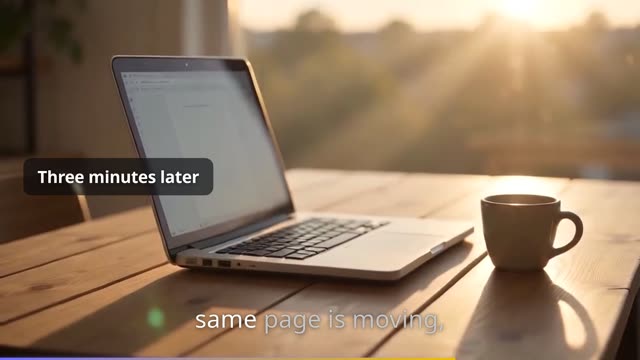
Three scenes from one PageToVid film, each generated with Seedance 2.0 Mini and cut between recordings of the site. Headline, captions and grade are added by the render.

What it costs
A render costs 40 credits. Each clip is charged on top, when it is made, and refunded if it fails; a clip already made is reused free on every later render. With no model named, a clip is the house clip at 160 credits. Clips, stills and characters are included from the Starter plan.
| Model | Sound | Length | Resolutions | Credits per second | Typical clip |
|---|---|---|---|---|---|
| House clip (Veo 3.1 Fast)default house | Yes | 8 s | 720p | flat per clip | 160 credits · 8 s at 720p |
| Seedance 2.0 Mini seedance-2.0-mini | Yes | 1–15 s | 480p · 720p |
| 249 credits · 8 s at 720p |
| Seedance 2.0 Fast seedance-2.0-fast | Yes | 1–15 s | 480p · 720p |
| 373 credits · 8 s at 720p |
| Seedance 2.0 seedance-2.0 | Yes | 1–15 s | 480p · 720p · 1080p · 4k |
| 466 credits · 8 s at 720p |
| Seedance 2.5 seedance-2.5 | Yes | 1–30 s | 480p · 720p |
| 718 credits · 8 s at 720p |
| Wan 3.0 Prime wan-3.0-prime | Yes | 2–30 s | 480p · 720p · 1080p |
| 435 credits · 8 s at 720p |
| MiniMax H3 minimax-h3 | Yes | 4–15 s | 768p · 2k |
| 249 credits · 8 s at 768p |
| MiniMax H3-Max minimax-h3-max | Yes | 5–15 s | 480p · 768p |
| 249 credits · 8 s at 768p |
| Veo 3.1 veo-3.1 | Yes | 4, 6, 8 s | 720p · 1080p · 4k |
| 1,242 credits · 8 s at 720p |
| Veo 3.1 Fast veo-3.1-fast | Yes | 4, 6, 8 s | 720p · 1080p · 4k |
| 311 credits · 8 s at 720p |
| AI still (image) house-image | — | — | — | — | 40 credits |
Read from the same price table the render charges from, so it is always the current price. The typical clip is the length and resolution asked for by default; a longer scene asks for a longer clip, within what the model can make.
Frequently asked questions
Does PageToVid add AI clips on its own?
No. The planner films your site and may add an AI still for a beat no screenshot can show, but it never spends a clip for you. You choose which scenes get one — in the editor or through an AI assistant — so every clip you pay for is one you asked for.
Which model should I use?
Start with the house clip: nothing to choose, one flat price. The table on this page lists every model with its price per second and a typical clip. Ask your AI assistant to quote a shot (quote_cost) before spending anything.
What happens if a generation fails?
The credits are refunded and the render carries on. The scene falls back to its page still and its text, and the video's report names the reason the model gave — a content refusal (change the words) or a timeout (try again).
Can I use AI clips on the free plan?
No. AI generation — clips, stills and characters — is part of the paid plans, from Starter. The free plan makes complete website films with real footage, voiceover and motion graphics.
How long is a clip?
As long as its scene is on screen, within what the model can make. The house clip is always eight seconds; if its scene runs longer, the last frame holds rather than cutting to black.
Will a clip show my real interface?
No. Generated video is made up, so it cannot reproduce your product faithfully. Your interface is always shown by the real recordings; clips are for everything around it.
Guides
More than screencasts
Consistent characters
Create a person, mascot or product once from reference images. Every clip that names it keeps the same face, across scenes and films.
Talking presenter
A generated presenter talks to camera in the corner while your site is recorded — and moves out of the way of what is being clicked.
Start with your website
Every film starts from a URL and real footage of your site. Add clips, characters and a presenter where they earn their place.