Call-to-Action
Live-Ausgabe der echten Render-Engine — ändere die Einstellungen und sie aktualisiert sich sofort.
Erfolgsmeldung
gestaltete motion-karten
Eine Meldung gleitet ein, ihr Haken zeichnet sich in einem pulsierenden Kreis.
Ideal für: Den Moment zeigen, in dem es klappt.
Einstellungen
Schrift
Theme
Größe
Stimmung
Formate, die die Bildprüfung bestanden haben
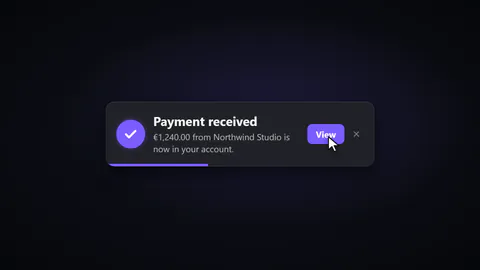
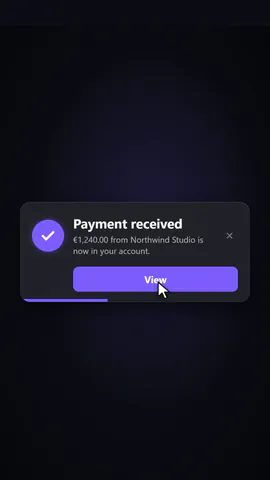
1:1
Was du schreibst
titleBold first line of the toast (≤32)· PflichtmessageLine under the title, or empty for a one-line toast (≤90)· PflichtactionSmall action button on the toast, or empty to show only a close button (≤12)· PflichtstyleA card with a draining timer bar, a compact pill with a timer ring, or a tinted card with a bold coloured edgeentryWhere it slides in from, and leaves todismissA pointer presses the action (or the close button) and it leaves, or its timer simply runs outbackdropWhat is behind it: a dark or a light studio, pure chroma-key green (#00b140, no shadows on it) to key over your footage, or your picture
Bilder (image) kommen aus dem Bild der Szene, sonst aus einem Verlauf in deinen Farben.
Eine Code-Vorlage: in jedem Tarif kostenlos, ohne KI-Credits.
In einem Film verwenden
Gemacht fürEndkarte
Was du ändern kannst:
rushie.props.titlerushie.props.messagerushie.props.actionrushie.props (others)Für Entwickler (MCP und JSON)
Das ist genau die Szene für create_animation (MCP): Struktur behalten, Worte ändern und den Sprechertext schreiben — die Stimme bestimmt, wie lange die Szene dauert. Mit set_data in update_storyboard einfügen, um einen fertigen Film zu ändern.
{
  "visual": "rushie",
  "heading": "Success toast",
  "narration": "Write the sentence the voice says over this scene; its length is the scene's.",
  "data": {
    "rushie": {
      "template": "success-toast",
      "props": {
        "title": "Film ready",
        "message": "Your 45-second launch film has rendered.",
        "action": "View",
        "style": "card",
        "entry": "right",
        "dismiss": "click",
        "backdrop": "dark",
        "image": "https://storage.googleapis.com/pagetovid-media/demo/pagetovid-demo-en-v2.jpg"
      }
    }
  }
}