Call-to-Action
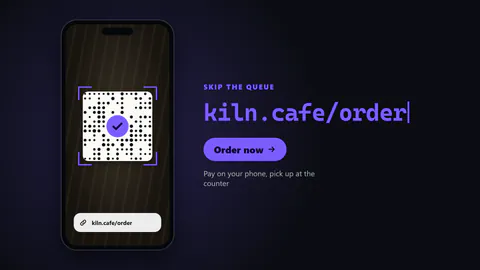
Live-Ausgabe der echten Render-Engine — ändere die Einstellungen und sie aktualisiert sich sofort.
Code zum Scannen
gestaltete motion-karten
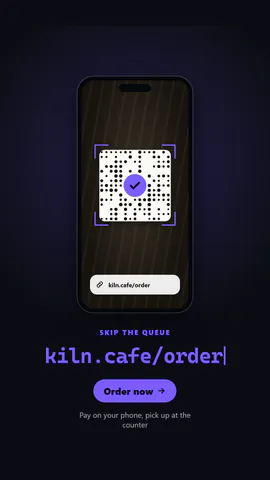
Ein Handy erfasst einen Code, scannt ihn und die Überschrift wird zum Kurzlink.
Ideal für: Zuschauer vom Bildschirm aufs Handy holen.
Einstellungen
Schrift
Theme
Größe
Stimmung
Formate, die die Bildprüfung bestanden haben
1:1
Was du schreibst
headlineHeadline, replaced by the link once the code is scanned (≤24)· PflichtkickerSmall line above the headline (≤24)urlShort link typed in after the scan (shown as text, not opened) (≤28)ctaButton text, or empty to hide (≤22)subtitleLine under the button, or empty to hide (≤60)
Eine Code-Vorlage: in jedem Tarif kostenlos, ohne KI-Credits.
In einem Film verwenden
Gemacht fürEndkarte
Was du ändern kannst:
rushie.props.headlinerushie.props (others)Für Entwickler (MCP und JSON)
Das ist genau die Szene für create_animation (MCP): Struktur behalten, Worte ändern und den Sprechertext schreiben — die Stimme bestimmt, wie lange die Szene dauert. Mit set_data in update_storyboard einfügen, um einen fertigen Film zu ändern.
{
  "visual": "rushie",
  "heading": "Scan to order",
  "narration": "Write the sentence the voice says over this scene; its length is the scene's.",
  "data": {
    "rushie": {
      "template": "scan-cta",
      "props": {
        "kicker": "On your phone",
        "headline": "Scan to try it",
        "url": "pagetovid.com",
        "cta": "Order now",
        "subtitle": "Pay on your phone, pick up at the counter"
      }
    }
  }
}