Hooks
Live-Ausgabe der echten Render-Engine — ändere die Einstellungen und sie aktualisiert sich sofort.
Lyric-Video
gestaltete motion-karten
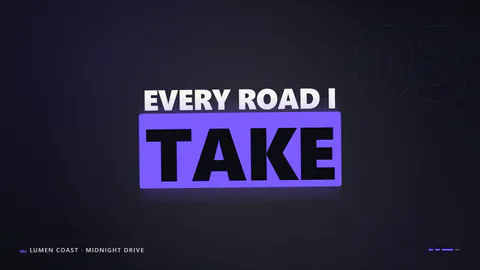
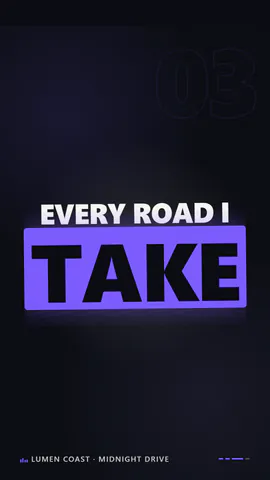
Große kinetische Textzeilen landen Wort für Wort im Beat, jedes Wort skaliert und leuchtet auf, der Textblock ändert mit jeder Zeile seine Form.
Ideal für: Lyric-Videos, Song-Teaser und Zitat-Reels.
Einstellungen
Schrift
Theme
Größe
Stimmung
Formate, die die Bildprüfung bestanden haben
1:1
Was du schreibst
linesLyric lines, shown one after another, word by word on the beat (≤48)· PflichttitleSong title for the corner credit, or empty to hide (≤40)· PflichtnameArtist for the corner credit, or empty to hide (≤40)· PflichtbpmTempo the words land on (≤180)· PflichtlayoutCentred stacks that change shape every line, or a flush-left editorial stackinkWords pop in on the beat, or the whole line waits as outlines that fill as they are sung
Eine Code-Vorlage: in jedem Tarif kostenlos, ohne KI-Credits.
In einem Film verwenden
Was du ändern kannst:
rushie.props.linesrushie.props.titlerushie.props.namerushie.props.bpmrushie.props (others)Für Entwickler (MCP und JSON)
Das ist genau die Szene für create_animation (MCP): Struktur behalten, Worte ändern und den Sprechertext schreiben — die Stimme bestimmt, wie lange die Szene dauert. Mit set_data in update_storyboard einfügen, um einen fertigen Film zu ändern.
{
  "visual": "rushie",
  "heading": "Lyric video",
  "narration": "Write the sentence the voice says over this scene; its length is the scene's.",
  "data": {
    "rushie": {
      "template": "lyric-video",
      "props": {
        "lines": [
          "I keep the city lights",
          "burning in my pocket",
          "every road I take",
          "leads me back to you"
        ],
        "title": "Midnight Drive",
        "name": "Lumen Coast",
        "bpm": 96,
        "layout": "stacks",
        "ink": "solid"
      }
    }
  }
}