Enthüllung
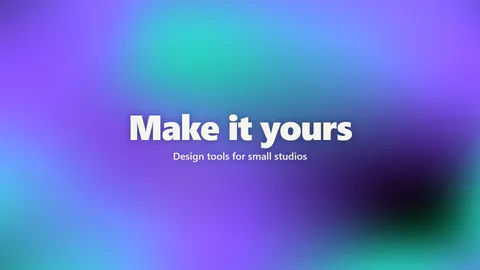
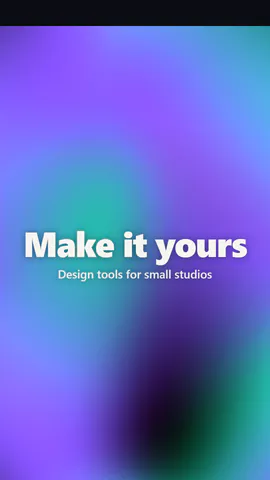
Live-Ausgabe der echten Render-Engine — ändere die Einstellungen und sie aktualisiert sich sofort.
Titel auf Mesh-Verlauf
gestaltete motion-karten
Ein fließender Mesh-Verlauf in Ihren Farben hinter einem Titel.
Ideal für: Ein edler Opener oder eine Kapitelkarte.
Einstellungen
Schrift
Theme
Größe
Stimmung
Formate, die die Bildprüfung bestanden haben
1:1
Was du schreibst
titleTitle, or empty to hide (≤60)· PflichtsubtitleLine under the title, or empty to hide (≤120)placementTitle in the middle, or to the left like a website hero (at the bottom on a phone)endingLoop seamlessly with the title held on screen, or rise in at the start and fly out at the endlookJust the colour, or show the mesh and its control handles like a design toolgrainA fine film grain over the colour, or perfectly smooth
Eine Code-Vorlage: in jedem Tarif kostenlos, ohne KI-Credits.
In einem Film verwenden
Was du ändern kannst:
rushie.props.titlerushie.props (others)Für Entwickler (MCP und JSON)
Das ist genau die Szene für create_animation (MCP): Struktur behalten, Worte ändern und den Sprechertext schreiben — die Stimme bestimmt, wie lange die Szene dauert. Mit set_data in update_storyboard einfügen, um einen fertigen Film zu ändern.
{
  "visual": "rushie",
  "heading": "Mesh gradient",
  "narration": "Write the sentence the voice says over this scene; its length is the scene's.",
  "data": {
    "rushie": {
      "template": "mesh-gradient",
      "props": {
        "title": "Chapter two: the product",
        "subtitle": "What it does, on screen",
        "placement": "center",
        "ending": "loop",
        "look": "clean",
        "grain": "film",
        "accent2": "#7b61ff",
        "accent3": "#35d6c8"
      }
    }
  }
}