Données et ROI
Sortie en direct du vrai moteur de rendu — modifiez les réglages et elle se met à jour instantanément.
Chiffre dans un anneau
cartes animées design
Un grand chiffre compte dans un anneau qui se remplit, à côté de sa phrase.
Idéal pour : Un chiffre, expliqué.
Réglages
Police
Thème
Taille
Humeur
Formats validés par le contrôle d'image
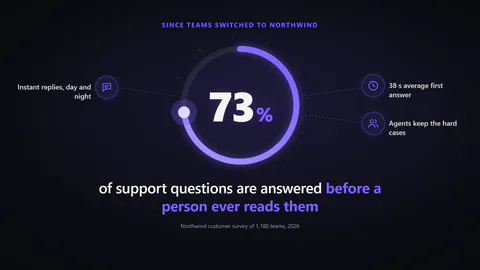
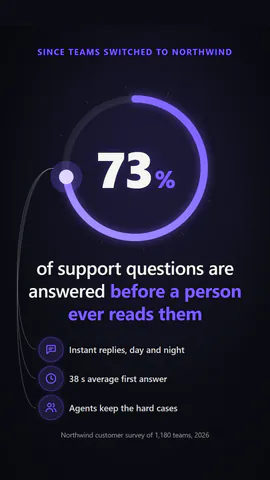
1:1
Ce que vous écrivez
valueThe number that counts up (≤1000000000)· obligatoiresentenceWhat the number means; wrap words in *stars* to colour them (≤110)· obligatoirekickerLine above the number, or empty to hide (≤40)decimalsDecimal places shown (≤2)prefixBefore the number, e.g. $ (≤4)suffixAfter the number, e.g. % or x or k (≤6)itemsSupporting points with icons that gather round the number (0 to 4)sourceWhere the number comes from, or empty to hide (≤70)figureThe number inside a ring that fills, or the number alone with a bar under itarrangementSupporting points orbit the number joined by dotted lines, or line up beside the sentence
Un modèle en code : gratuit sur toutes les offres, sans crédits IA.
L'utiliser dans un film
Ce que vous pouvez changer :
rushie.props.valuerushie.props.sentencerushie.props (others)Pour les développeurs (MCP et JSON)
Voici la scène exacte à envoyer à create_animation (MCP) : gardez la structure, changez les mots et écrivez la narration — c'est la voix qui fixe la durée de la scène. Collez-la dans update_storyboard avec set_data pour modifier un film déjà fait.
{
  "visual": "rushie",
  "heading": "Stat story",
  "narration": "Write the sentence the voice says over this scene; its length is the scene's.",
  "data": {
    "rushie": {
      "template": "stat-story",
      "props": {
        "kicker": "Since teams switched to Northwind",
        "value": 73,
        "decimals": 0,
        "prefix": "",
        "suffix": "%",
        "sentence": "of viewers remember a product they saw *in motion*",
        "items": [
          {
            "icon": "chart",
            "label": "Higher recall"
          },
          {
            "icon": "users",
            "label": "More shares"
          }
        ],
        "source": "Northwind customer survey of 1,180 teams, 2026",
        "figure": "ring",
        "arrangement": "orbit"
      }
    }
  }
}